

Compare Rust Servers Side by Side
If you have ever bounced between ten tabs trying to compare rust servers, this one is for you. We shipped a dedicated compare page so you can line up servers side by side and make the call faster.
The compare feature landed in Rustalyzer on February 5, 2026. You can compare up to three servers at once, keep your selection while browsing, and share a direct URL with the exact set you are looking at.
What changed
Rustalyzer now has a standalone compare flow at /compare using three fixed slots (A, B, C). Each slot shows the same data blocks you already use when evaluating a server: current and trend player stats, wipe behavior, wipe curve preview, map details, tags, and server description.
You can add servers from the main search grid or from an individual server page. As soon as you add one, a floating tray appears at the bottom of the screen. That tray follows you across pages, so you can keep collecting candidates without losing your list. Hit “Compare” and you jump straight to a URL like /compare?servers=123,456,789.
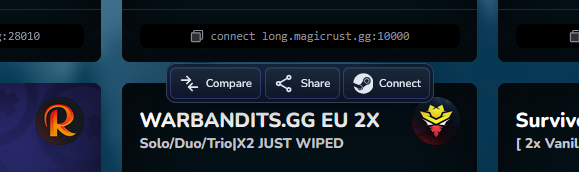
Overlay toolbar on server cards: Compare, Share, and Connect actions are available in one place while browsing.
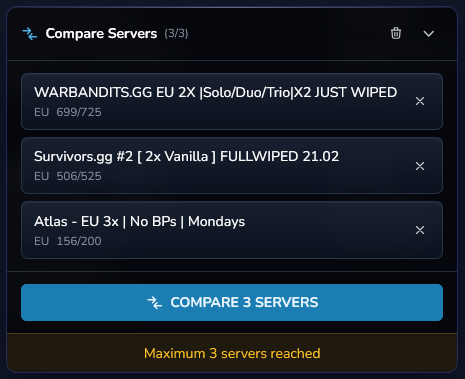
Expanded compare tray: selected servers, quick remove actions, and a one-click “Compare X Servers”.
The compare page also handles partial failures cleanly. If a server ID is missing or no longer available, that slot stays in place and shows a clear “Server Not Found” state instead of breaking the full layout.
How to use it
- Go to
/searchand add servers with the Compare button on server cards. - Keep browsing until you have 2-3 candidates in the floating compare tray.
- Click “Compare now” to open the side-by-side view.
- Share the comparison with your team using the built-in share action or by copying the URL.
Concrete example: if you are choosing a weekly main server, compare three options and look at wipe stability, expected queue on wipe day, and the 48h wipe curve in one screen. You can make a decision without manually cross-checking separate pages.
Why we like it
Less tab juggling, faster server picks. Comparing rust servers has never been easier, and the workflow is now one pass instead of a back-and-forth process between search results, server pages, and notes.
This is also a base for deeper comparison tooling. The layout is already structured for future additions like value highlighting and richer share or export actions.
Notes
- Maximum comparison size is 3 servers.
- Adding more than 3 server IDs in the URL currently returns a 404 response.
- Empty slots on
/comparesend you back to search to add more servers.
Try it at /compare or start from any server card in /search. If anything feels slow or confusing in the flow, send feedback - that helps us prioritize the next iteration.