

How to Search Rust Servers on Rustalyzer
If you are trying to find one specific type of Rust server, broad lists are not enough. Rustalyzer gives you enough control to narrow the list fast, without guessing or hopping across ten server websites.
This guide shows a practical search workflow: start wide, narrow with filter controls, then use advanced search syntax when you want exact metadata matches.
How the filters work
Rustalyzer search supports both visual filters and advanced search syntax in the same search box. You can still search by server name or IP, then add structured filters when you want more control.

The filter bar covers the common stuff directly:
- Region
- Last wipe and next wipe windows
- Wipe days
- Group limit range
- Gather rate range
- Metrics range (multiple performance/population ranges in one place)
- Include tags (
AnyorAll) - Exclude tags (
None Of) - Sort results (score, current players, average players, wipe players, wipe timing)
Metrics deserves a callout because it is not just one toggle. It is a stack of range filters that lets you narrow by server behavior instead of just labels. If you care about population quality, not just raw player count, metrics ranges help you cut noisy results quickly.
On top of that, the same search box supports advanced search syntax for fields that are not exposed as dedicated controls.
Metrics ranges in practice
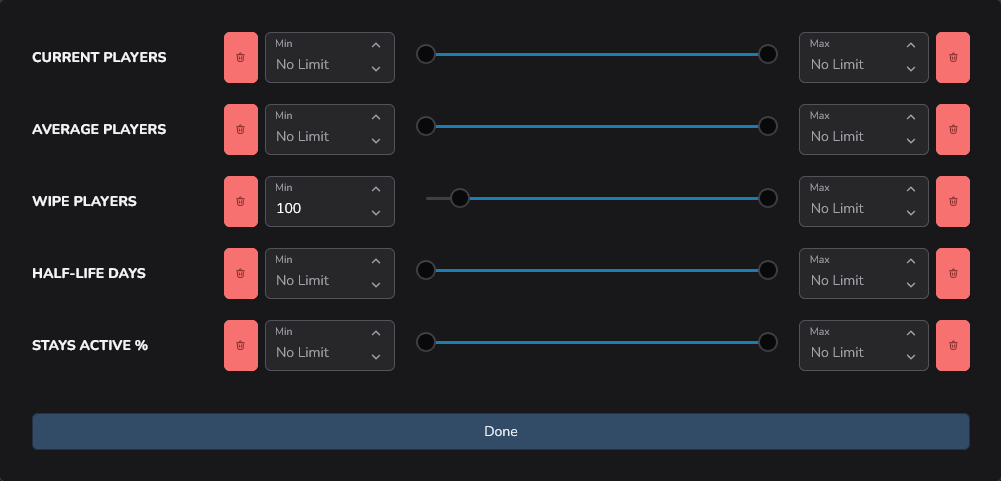
The metrics control lets you set min/max ranges across several behavioral signals at once:
- Current players
- Average players
- Wipe players
- Half-life days
- Stays active %
This is useful when you want to filter out servers that spike for a moment but do not hold activity.
You can combine metrics ranges with group limit ranges to shape the kind of fights you want.

If you are not sure which ranges to start with, open a few server cards and copy the values you like into your range filters.
How to use it
Open /search. Start with what you already know, then add constraints one layer at a time.
- Set your non-negotiables in the filter bar first (region, wipe timing, group/gather limits, tags).
- Enter a broad search term in the search text box if you're looking for something specific that we dont have filters for (or just leave it empty).
- Sort by what matters most for your session (for example: current players or next wipe).
- If the list is still too wide, add more filters or advanced search syntax tokens in the same search box.
Example workflow:
You want a modded EU server that wipes soon and uses a custom map.
- Set
Region = Europe - Set
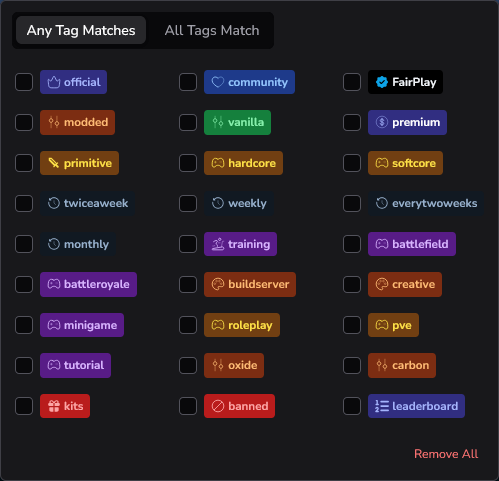
Next Wipe = next 24 hours - Include tags like
moddedand whatever else you care about - In the search box, add:
has:levelurl
If you still have too many matches, add more precision:
Group Limit = 2 to 4Gather Rate = 2x- Keep plain words too, like a server brand name
has:levelurl is useful because it surfaces servers that expose a custom map level URL.
Advanced search syntax quick reference
Supported structured keys:
version: Server build version string reported by metadata.changeset: Numeric build/change identifier. Useful for exact matching, ranges, and comparisons.levelurl: World level URL metadata. In practice, this is a strong custom-map signal.favendpoint: Preferred connection endpoint when the server provides one.secure: Secure flag (true/false) from server metadata. It indicates wether EAC is enabled or not (useful for linux players)ip: Server IPv4 address.port: Server game port.
Useful patterns:
- Exact/equality:
version:2621,port:28015,secure:true - Numeric comparisons:
changeset:>143000,changeset:140000..144000 - Presence checks:
has:levelurl,-has:favendpoint - Negation:
-changeset:143062 - Wildcards with :
ip:192.168.*.6
You can combine free text and structured tokens in one query:
rustoria changeset:>143000 has:levelurl
Anything not parsed as structured syntax still works as normal free-text name search.
Enjoy the server hunt!
Most server finders force you into either basic text search or rigid preset filters. Rustalyzer lets you mix both. That means fewer dead-end searches and more control over the exact server shape you want.
Notes
- Advanced search syntax is scoped to metadata fields above. Region, wipe windows, group limit, gather rate, and tag include/exclude are handled by the filter controls instead of search syntax keys.
- Unknown or invalid structured tokens are ignored.
- For most players, the fastest path is still: filter bar first, then advanced search syntax only when you need extra precision.
Try it on /search, and if you want to compare finalists side by side, use /compare.